How to backtest a filter on past football matches
6 min read
You'll learn
- How to choose the market, line and selection a backtest checks
- What the backtest window and the odds reference change
- How to read the result, yield, hit rate and selections
- How to read Top markets and the match history
A backtest runs your filters on matches already played and shows how one selection did on them. This course goes one level deeper than Getting started, with the same example: the backtest form, the card, the window and the odds, the summary, Top markets and the match history. Backtesting is part of Pro, for football.
Six steps
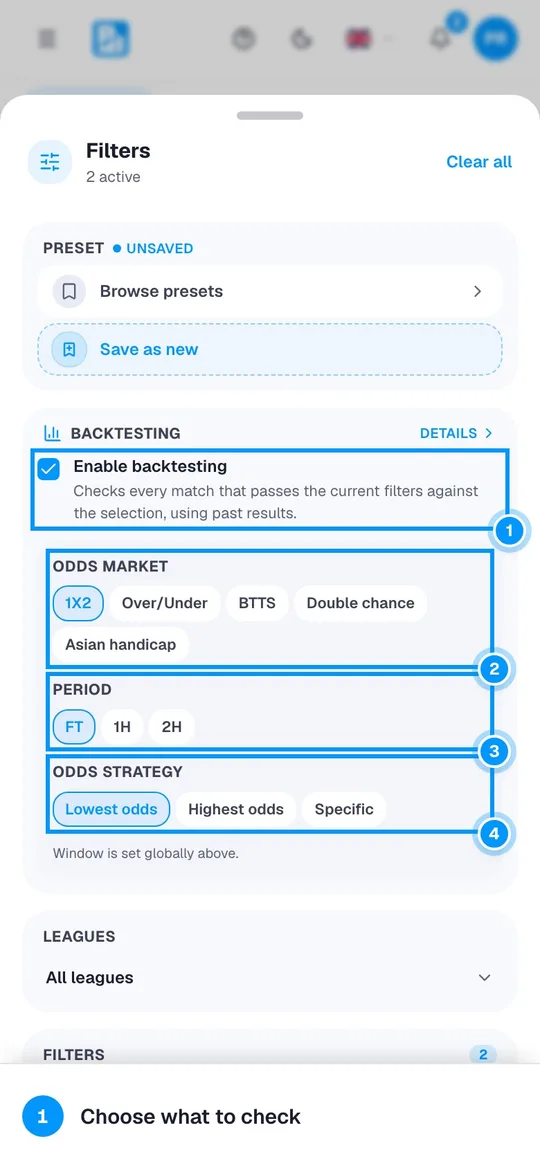

Choose what to check
A backtest checks the matches that pass your filters. Set them first: the pictures use the example from Getting started, the featured leagues with both teams over 2.5 goals in at most 40% of their last 10 matches. Then open Filters again.

Tick Enable backtesting (1). Odds market (2) is the market checked: 1X2, Over/Under, BTTS, Double chance or Asian handicap. Period (3) settles it on the full match (FT) or on one half (1H, 2H). Odds strategy (4) says which selection each match gets: Lowest odds takes the one with the lowest odds in that match, Highest odds the one with the highest, and Specific always the one you choose. 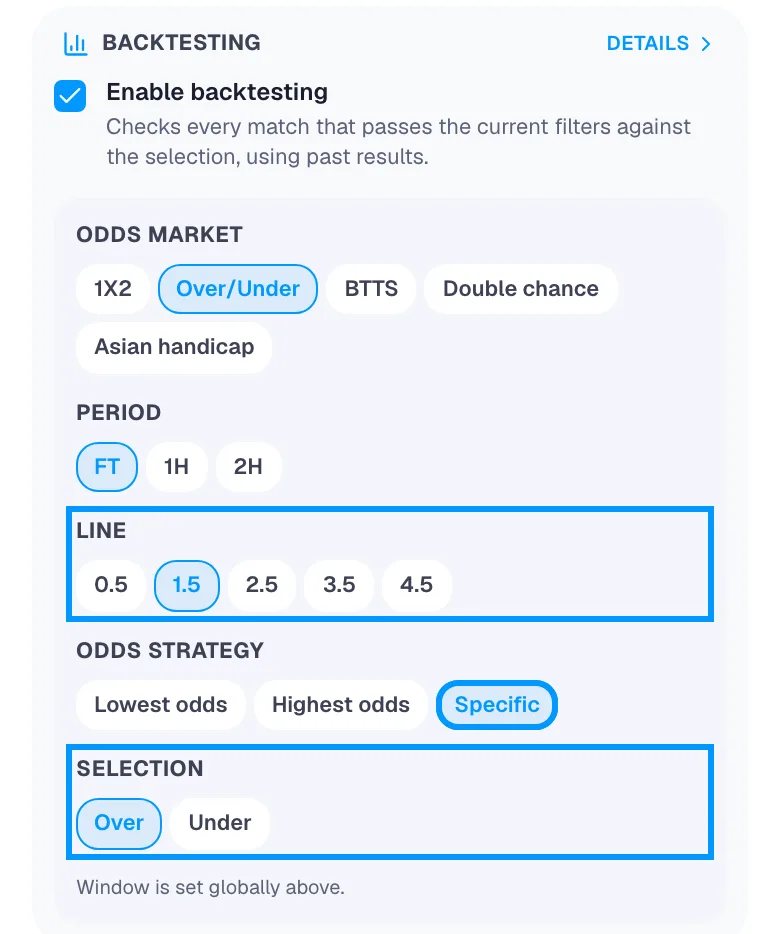
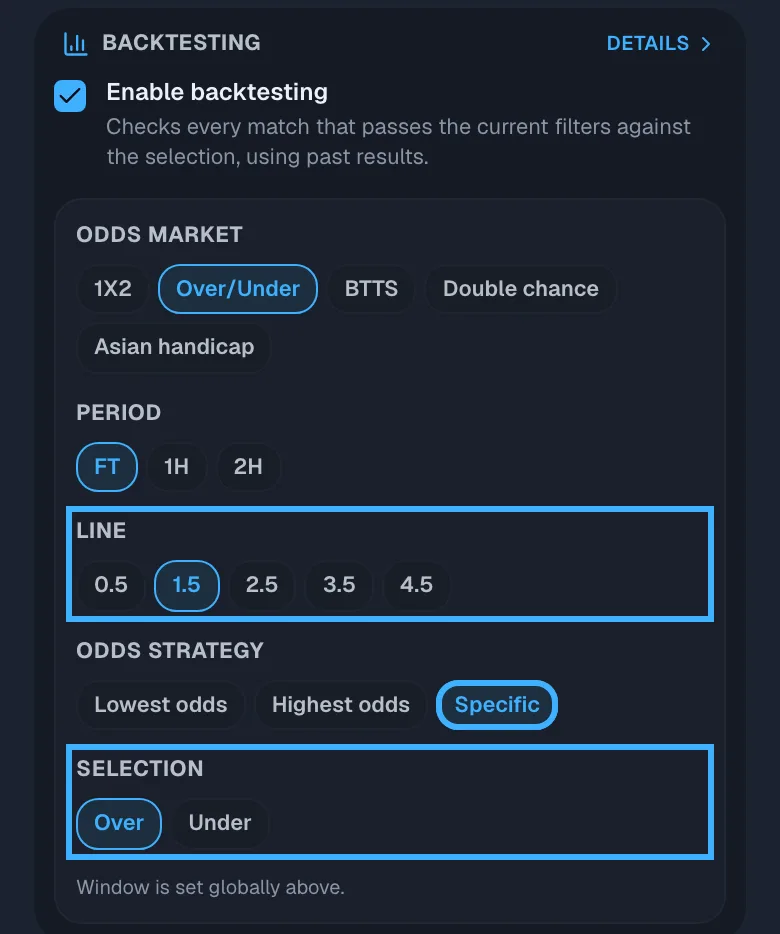
For the example, tap Over/Under, then the Line 1.5 (1). Tap Specific (2) and choose the Selection (3), here Over. Every match that passes the filters is now checked on Over 1.5 goals. Read the card above the list
Close the panel. The card above the list runs the backtest on the filters shown above it, and runs it again whenever you change them.

The card names the rule, here Over 1.5, and the window you chose (1). The line under it (2) gives the result in units, the yield and how many matches it rests on. The chips (3) are the top markets for these filters, each with its yield. Tap the card for the full backtest; the × turns backtesting off. Choose the window and the odds
Tap the card: the full backtest opens on its own page, and Filters & config at the bottom opens the same panel. The window and the odds reference are saved to your account, and the card uses them too.

Backtest window (1) sets how far back the backtest goes, from 7 days (7D) to 6 months (6M), here 6M. Save preset, next to the title, keeps your filters and this backtest together as a preset. 
Odds reference (1) says which odds the result uses, here Best current odds. Tap it to see the others (2). Latest average odds is the average across all sources now. Best current odds and Worst current odds are the highest and the lowest offered now. Best historical avg and Worst historical avg are the highest and the lowest the average ever reached, and Best historical odds and Worst historical odds the highest and the lowest single odds ever recorded. Read the summary
The summary gives the backtest’s numbers for the whole window, at the odds reference you chose.

Result (1) is the units won or lost at 1 unit per selection: a winning selection adds its odds minus 1, a losing one takes 1 away. Yield (2) is the Result divided by the Selections, as a percentage. Hit rate (3) is the selections that won divided by all the selections; the line under it gives both counts. Selections (4) counts the settled selections, with the matches that passed the filters under it. Running result (5) draws the total day by day. Your numbers are the ones on your screen: they change as new matches are played. See the top markets for these filters
Top markets for these filters runs every market and selection on the same matches (1X2, Double chance, Over/Under, BTTS and Asian handicap) and ranks them by yield, at the same odds reference.

A market is ranked only with enough settled matches: the minimum shown beside the title (1). The first card (2) has the highest yield. When it is in the list, the market you are testing shows Applied. Backtest this (3) switches the backtest to that market and selection. Go through the match history
Match history lists every match behind the result, newest first. Matches without a result yet are grouped at the top and do not count until they are settled.

The count (1) is how many matches the history holds. Each row shows whether the selection won or lost (2), with the kick-off, the selection, its odds and the score under the teams. On the right (3) are the units it won or lost and, after Σ, the running total. A Void row counts as neither won nor lost. Load 50 more at the bottom shows older matches.



Reading a result
A positive result can come from chance. A small positive yield over a thousand or so selections is within what chance alone can produce. Four things say more:
- More matches. The more selections behind a yield, the less of it chance can explain. Selections, in the summary, gives the number.
- Newer matches. Compare 3 months with 6 months in Backtest window, and look at the Running result. A result that holds in both windows and grows across the whole chart says more than one that comes from a short stretch of matches.
- Which odds. The example uses Best current odds, the highest across all sources. Compared with Best current odds, Latest average odds can only give the same selections the same result or a lower one.
- The top of a ranking. The best of many markets on the same matches looks good partly by luck. On other matches its yield is usually lower.
A backtest describes matches already played. It does not say what the next match will do.